How to Translate Product Videos for TikTok Shop and Amazon
Translate product videos for TikTok Shop, Amazon, and other marketplaces without losing the pitch. Compare subtitles, dubbing, units, and lip-sync.
The short answer
Selling the same product video across TikTok Shop, Amazon, and other English-language marketplaces takes more than swapping in translated captions: a literal translation of your pitch usually falls flat, on-screen prices and units need converting, and if you're on camera, lip-sync becomes a real factor in whether the video feels trustworthy. Handle those three things and one video can realistically serve several markets.
Why a literal translation of your pitch falls flat
Product videos rely on the pitch landing the same way it does in the original language — the urgency in a call-to-action, the way a claim is phrased, the humor in a demo. A word-for-word translation gets the meaning across but usually loses the persuasive edge, which shows up as lower engagement even when nothing is factually wrong with the translation.
This matters most for the parts of the video actually selling the product: the hook, the call-to-action, and any claim a shopper needs to trust before buying. Translating for the same effect, not the same words, gives the localized demo a better chance of performing as well as the original.
Subtitles or a full dub — which fits your product video
| Subtitles only | Full dub | |
|---|---|---|
| Effort | Lower — translate and attach a caption file | Higher — translate, generate voice, sync pacing |
| Best for | Feed-style content watched muted, fast-turnaround listings | Talking-head demos, higher-consideration products |
| Platform fit | Works everywhere; TikTok Shop viewers are used to captions on muted autoplay | Feels more native on product pages and video galleries where sound is expected |
| Trust signal | Preserves the original audio but adds no spoken localization | Can strengthen the presenter's connection with viewers if the voice and lip-sync feel convincing |
Feed content that's mostly watched muted does fine with subtitles alone. A demo where a real person is building trust on camera — explaining a feature, showing a comparison — usually benefits more from a full dub, especially with a cloned voice instead of a generic one.
If you're on camera, lip-sync matters more than usual
A talking-head product demo is exactly the case where mismatched lips undercut the video's job. Viewers already have to trust a stranger's product claims, and a dub that does not match the presenter's mouth movements can make the whole demo feel less credible.
This is less critical for demos where the presenter is mostly off-screen (voiceover over product shots, hands-only demos) and more critical for anything with sustained face-to-camera talking, since that's where the mismatch is most visible.
On-screen prices, units, and claims need their own pass
Product videos often have price overlays, size or weight callouts, and comparison graphics baked into the frame. None of that gets touched by translating the spoken audio — a $19.99 price card stays exactly as it was, and a "12 oz" label doesn't become "340g" on its own.
Converting units and currency for the target market is a separate pass from translating the dialogue, and on-screen claims (award badges, certifications, comparison numbers) need a manual check too — a translation tool can get the dialogue right and still leave a price or unit displayed incorrectly for the audience watching it.
One source video, several marketplace versions
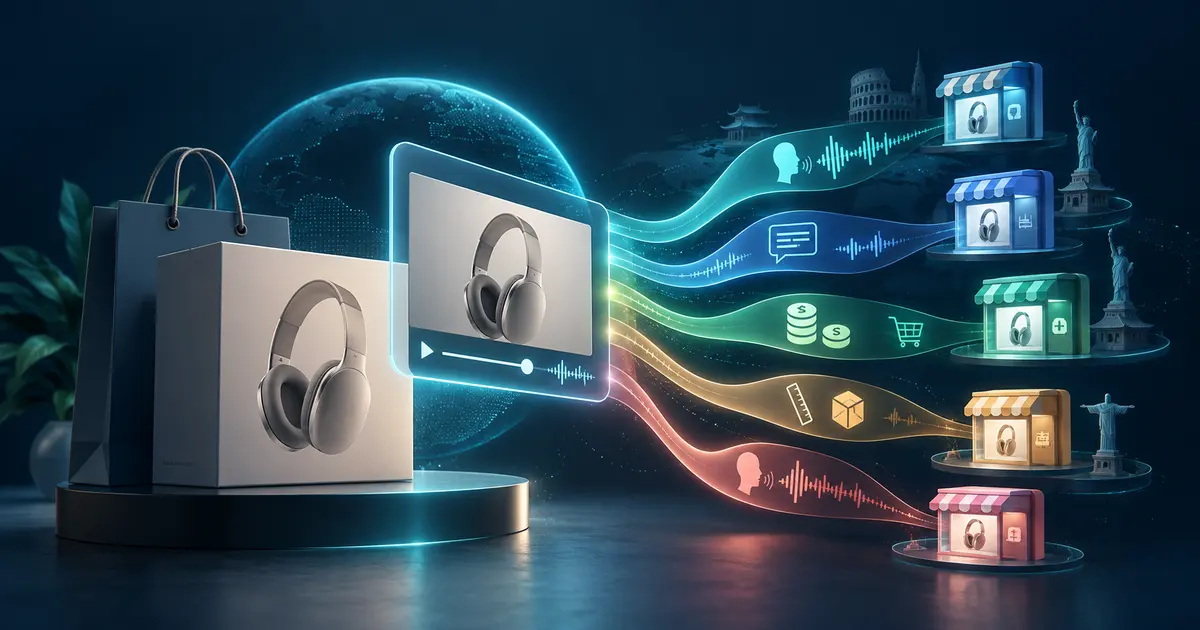
Most of the localization work can be reused across platforms: the same translated script, the same converted units, the same dub or subtitle track can go to TikTok Shop, an Amazon listing video, and a standalone site with minor edits for each platform's format and length requirements.
Where platforms differ is expectation, not translation: TikTok Shop content is built for muted, fast scrolling, while an Amazon product gallery video is watched more deliberately with sound on. Treat the localization as one job and the platform formatting as a second, smaller one.
The actual workflow, step by step
- Translate the script for effect, not word-for-word — flag the hook, call-to-action, and any claims for a human pass if the tool doesn't handle them well.
- Convert prices, units, and any other on-screen numbers for the target market before finalizing anything else.
- Decide between subtitles and a full dub based on where the video will be watched and whether an on-camera presenter is central to the sale.
- If you're on camera, use a tool that includes lip-sync so the mouth movement matches the new audio instead of just replacing the voice.
- Export the localized version per platform's format requirements and upload manually — this step isn't automated by any localization tool.
VoxSail handles the transcription, translation, and dubbing in one workflow, with an optional cloned-voice track and lip-sync for talking-head demos, so the translated version still looks and sounds like the original presenter.
Frequently asked questions
Will translating my product video automatically fix the prices and units shown on screen?
No. Translation and dubbing tools work on the spoken audio, not on-screen graphics. Price cards, unit labels, and comparison numbers baked into the video need to be converted and updated separately.
Should I subtitle or dub my product videos?
It depends on where they'll be watched. Feed content viewed muted usually does fine with subtitles. Talking-head demos where a presenter builds trust on camera generally convert better with a full dub, ideally with a cloned voice.
Does lip-sync actually matter for a product demo?
More than people expect if the presenter is on camera for most of the video. Mismatched lips give viewers an extra reason to distrust a demo they're already evaluating skeptically.
Can I use the same localized video on TikTok Shop and Amazon?
Mostly yes — you can reuse the translation, converted units, and either the dub or the subtitle track. What usually needs adjusting per platform is length and format, not the localization itself.
Do I need to translate my whole product catalog at once?
No. Testing with one or two of your best-performing videos before localizing a full catalog is a lower-risk way to see whether a market responds before committing more budget.
Can a localization tool publish my translated video directly to Amazon or TikTok Shop?
No. Tools can handle transcription, translation, dubbing, and lip-sync, but uploading to each marketplace is still a manual step for now.